 ABC
What in and out mean
I'm in (green shield): you are ready to fight. You will most likely be put in the war lineup, and then you are expected to use all your attacks.
I'm out (red shield): you sit the next war out. No time this week, heroes upgrading or just need a break? Switch to out. We may still add you when we are short of players, and then a missed attack is not held against you.
Check your status from time to time. Wars are the biggest part of our activity score, so staying out for a long time counts against you.
Open your profile
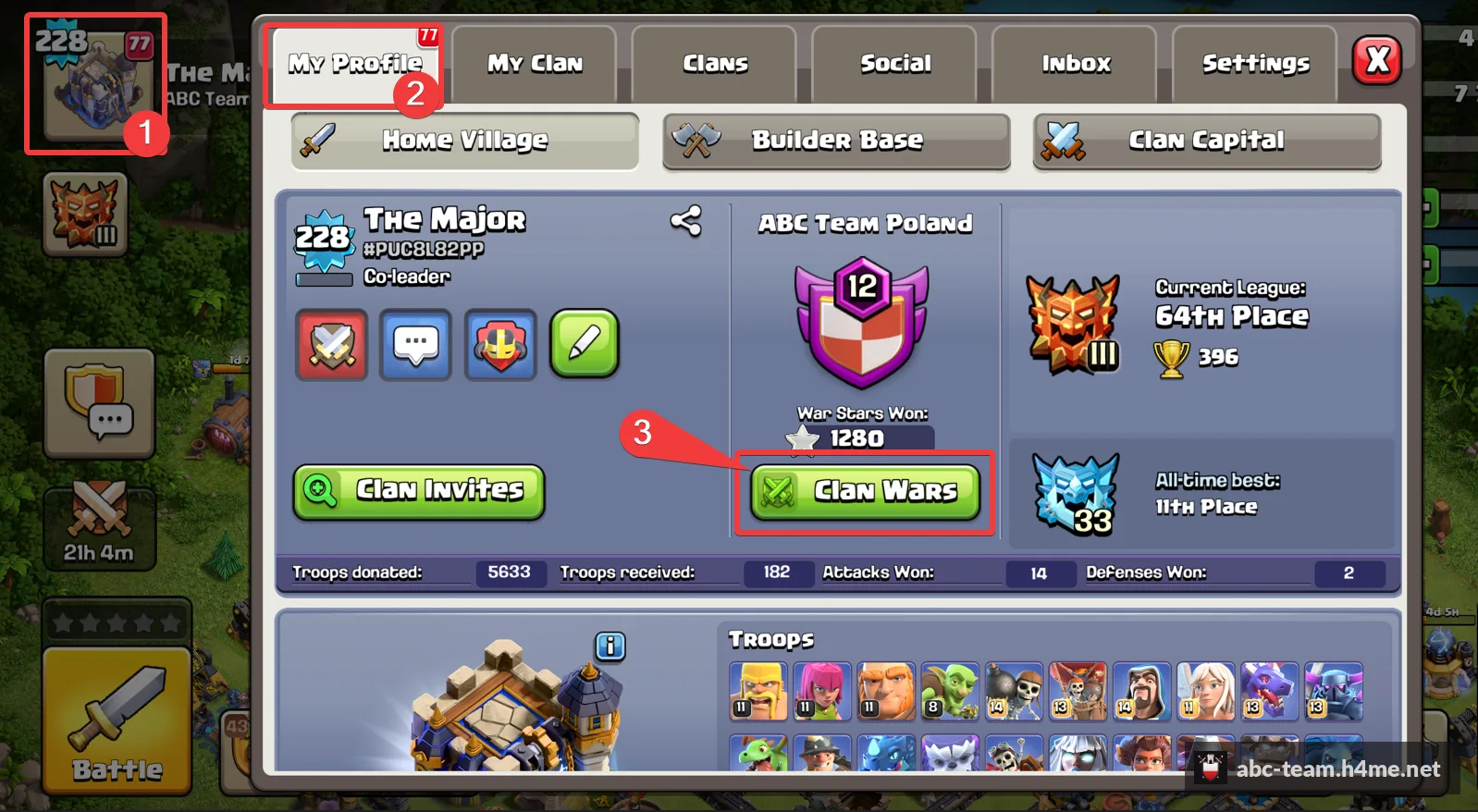
- Tap your Town Hall icon in the top-left corner, next to your name.
- The My Profile tab opens. If your screen looks different, scroll to the top of the tab.
- Tap Clan Wars in the middle, under your clan badge.
Pick in or out
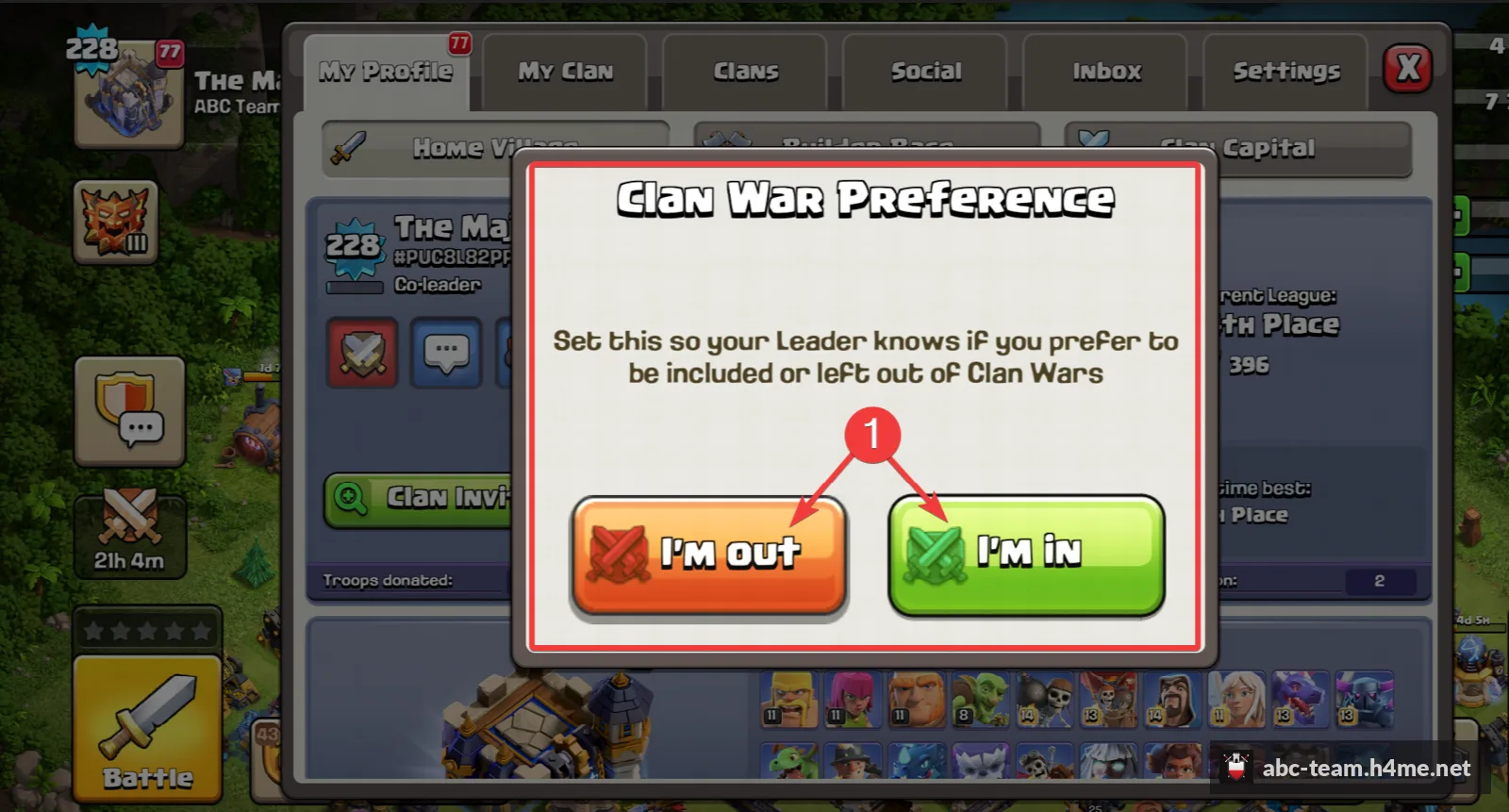
- In the Clan War Preference window tap I'm out or I'm in. The change is saved right away.
Change it before the next war search starts. Once a war is found, its lineup is fixed until the war ends.
Check the whole clan
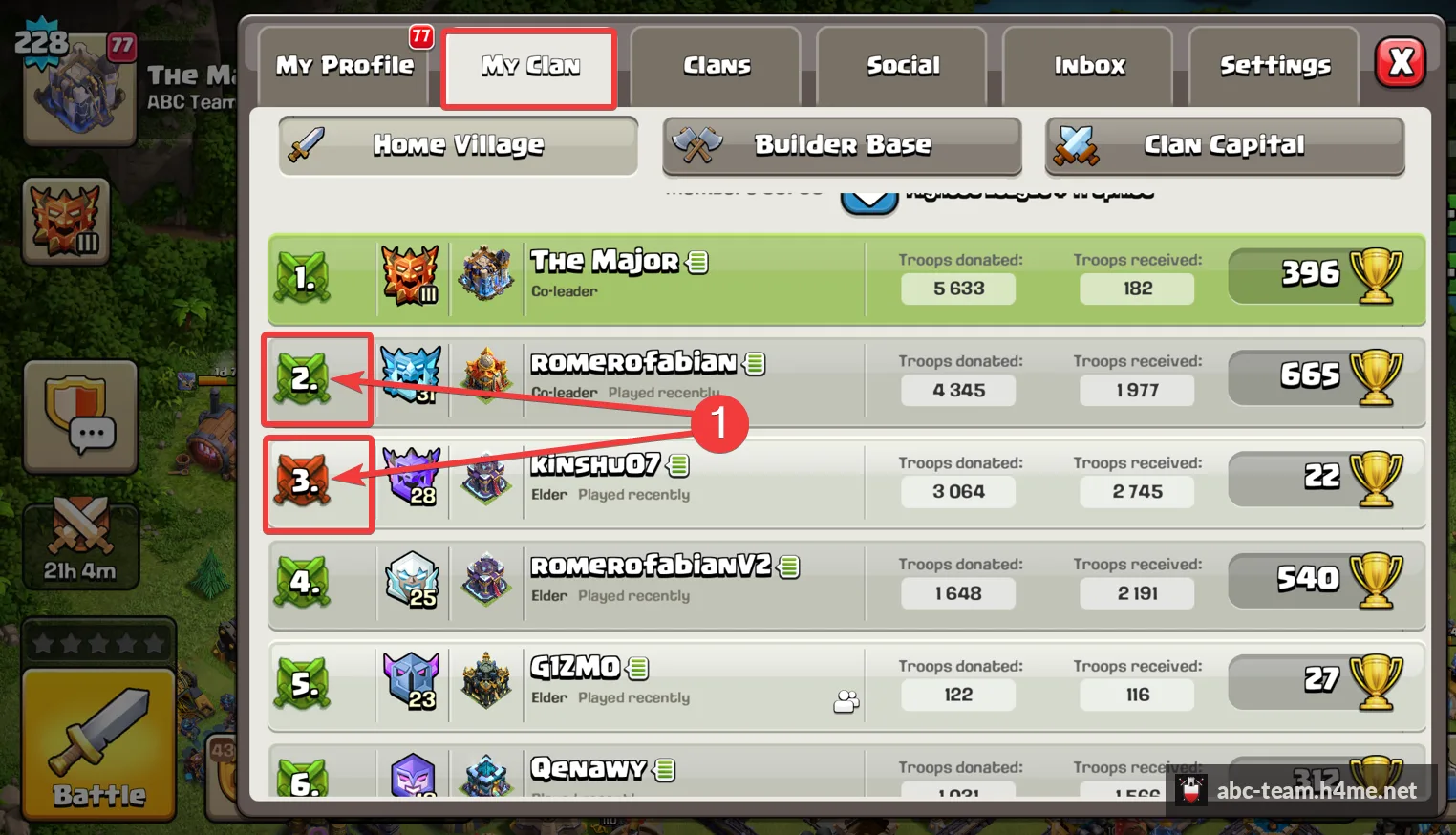
- In the My Clan tab every player has a shield next to their rank: green is in, red is out. Your own status is there too.