 ABC
Open More Settings
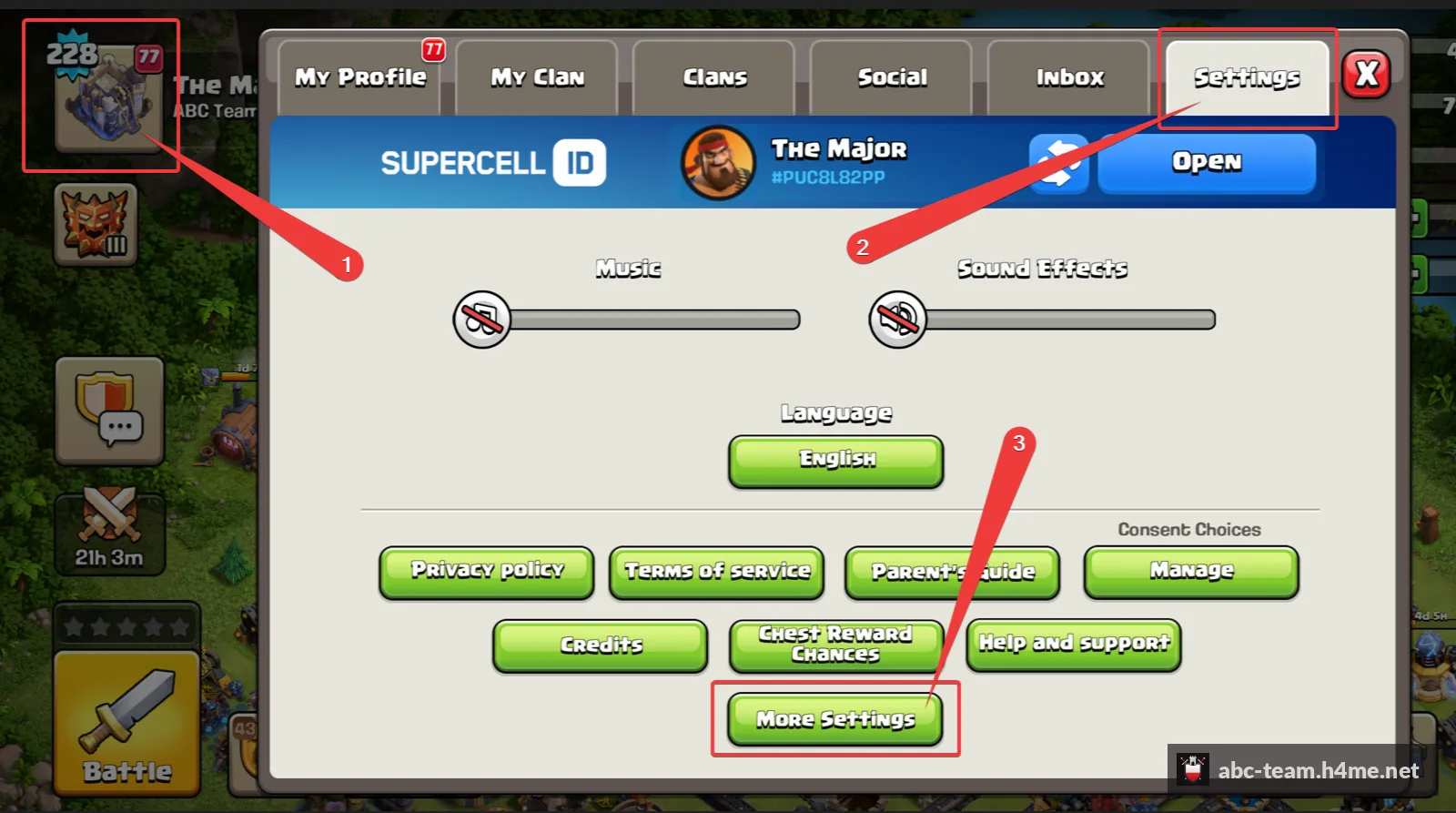
- Tap your Town Hall icon in the top-left corner, next to your name.
- Go to the Settings tab at the top.
- Tap More Settings at the bottom.
Show and copy the token
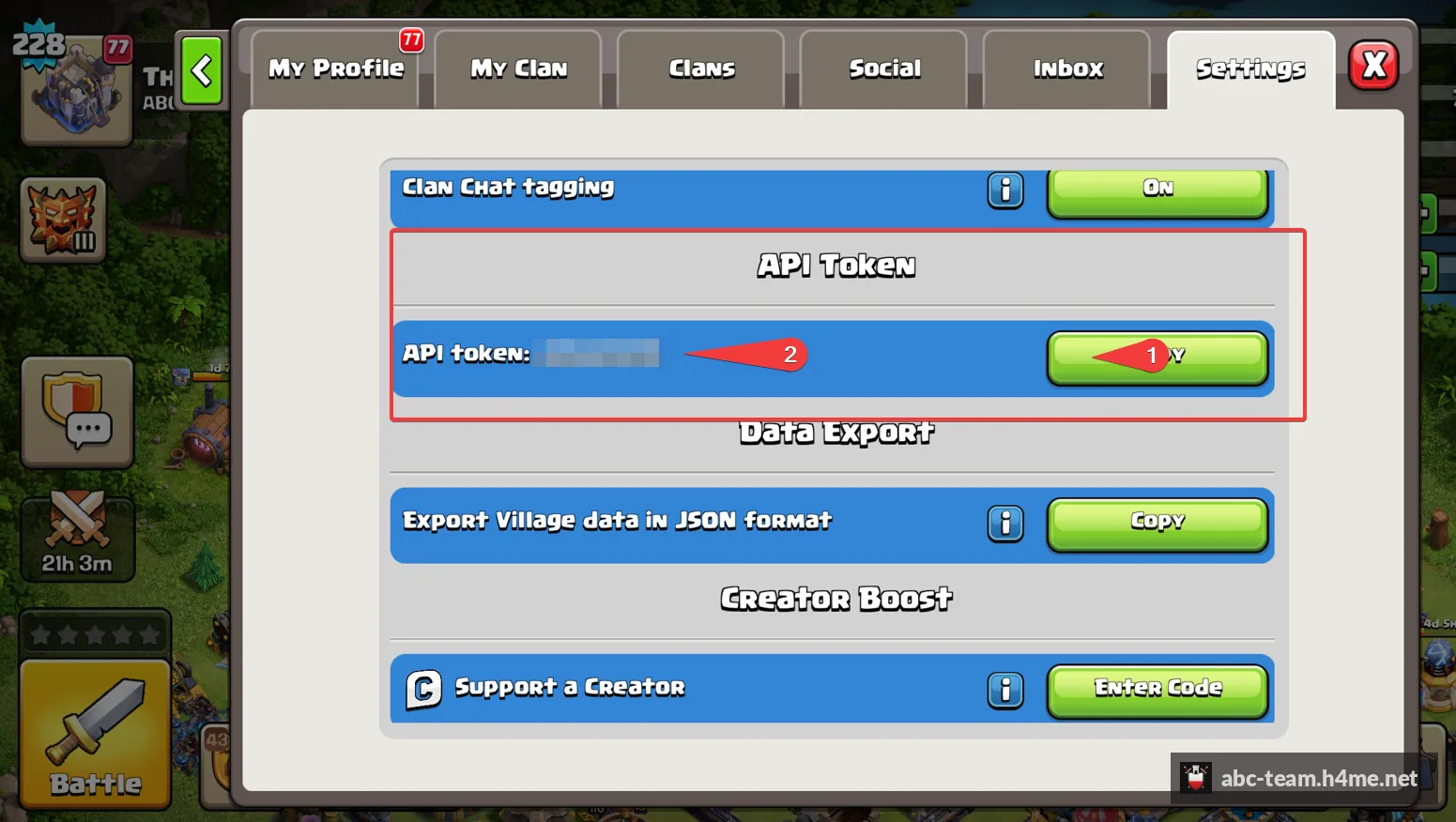
- Scroll down to API Token and tap Show. The button turns into Copy: tap it to copy the token, handy if you link from your phone.
- Your token appears here (blurred in our screenshot). You can also just read it and type it in.
Link your account on Discord
In #bot-commands type /link and fill in your player tag (it is under your name in the profile, for example #PUC8L82PP) and the token.
The token changes from time to time, so copy a fresh one right before you use it.
Nobody can log in or change anything in your account with the token. Still, paste it only where you mean to link your account, like our bot.